
Industry
Education Technology
My Role
UX Researcher
Timeline
Mar - Apr 2024 | 3.5 weeks
Reducing Cognitive Load in Canvas LMS Through Smarter Navigation Design
The Challenge: Navigation Getting in the Way of Learning
Canvas Learning Management System (LMS) is one of the most widely used learning platforms in higher education. While powerful, its navigation often gets in the way of learning.
Students frequently have to:
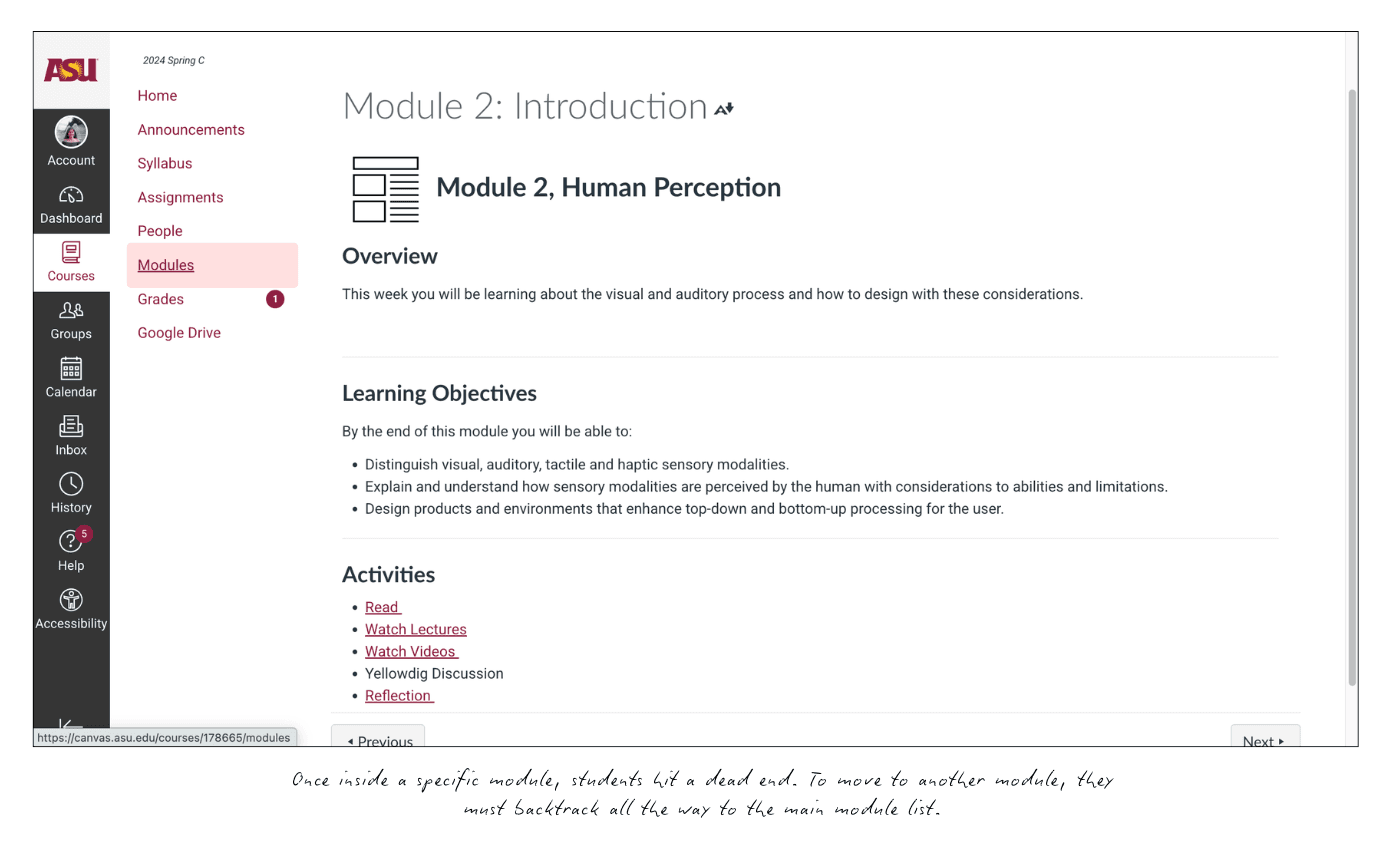
Click through multiple layers
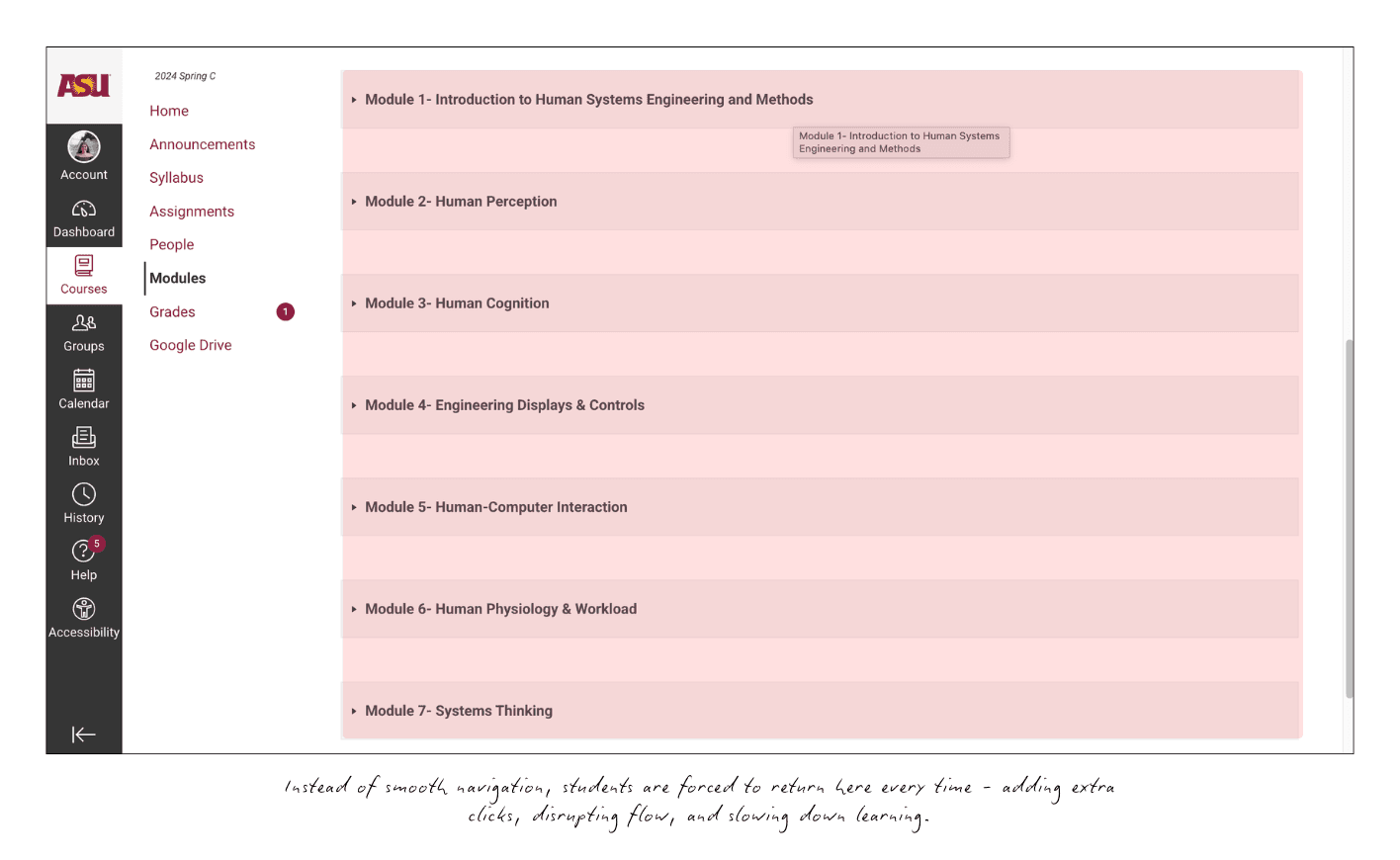
Scroll through long, text-heavy module lists
Backtrack just to switch between topics
Instead of focusing on coursework, students waste time clicking, scrolling, and guessing. But the deeper issue wasn’t just inefficiency; it was cognitive overload.
Students had to remember module names, scan dense lists, and constantly reorient themselves. The experience didn’t match how they naturally organize information. This mismatch between interface design and user mental models led to frustration and disengagement.
How might we make module navigation in Canvas faster, more intuitive, and less cognitively demanding for students?
What I Learned from Students
I began with a pre-usability study involving 4 students, including both experienced users and first-time users.
Despite different levels of familiarity, the same patterns emerged:
Constant backtracking to module lists
Mental effort spent remembering module names
Interrupted flow before starting actual coursework
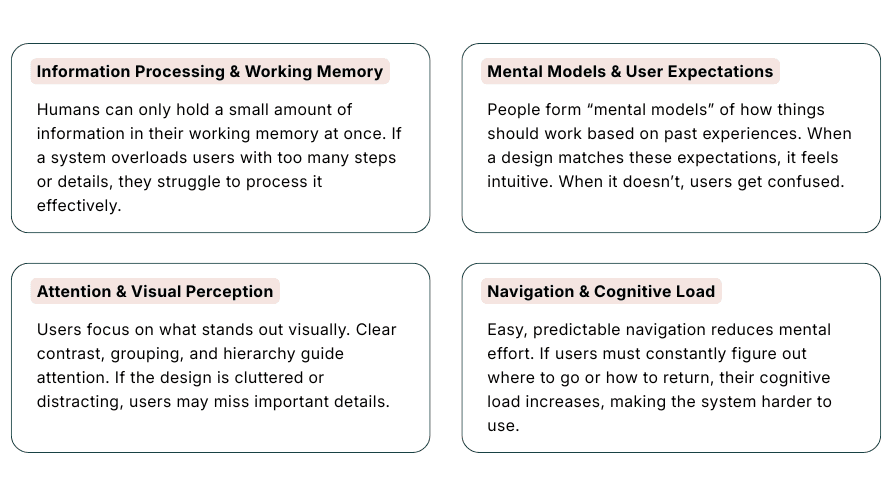
To understand why this was happening, I mapped findings to key cognitive principles:
Working Memory & Cognitive Load
Long lists and scrolling strained short-term memoryMental Models
Students expected a folder-like structure, not linear listsAttention & Visual Perception
Dense text led to missed information and scanning fatigueMotivation
Friction reduced focus and engagement
The problem wasn’t just slow navigation—it was mentally demanding. The interface didn’t align with how students think, organize, or switch between tasks.
Design Direction
The research pointed to a clear principle:
Reduce friction by aligning with existing mental models not by adding more features.
I focused on persistent, always-available navigation.
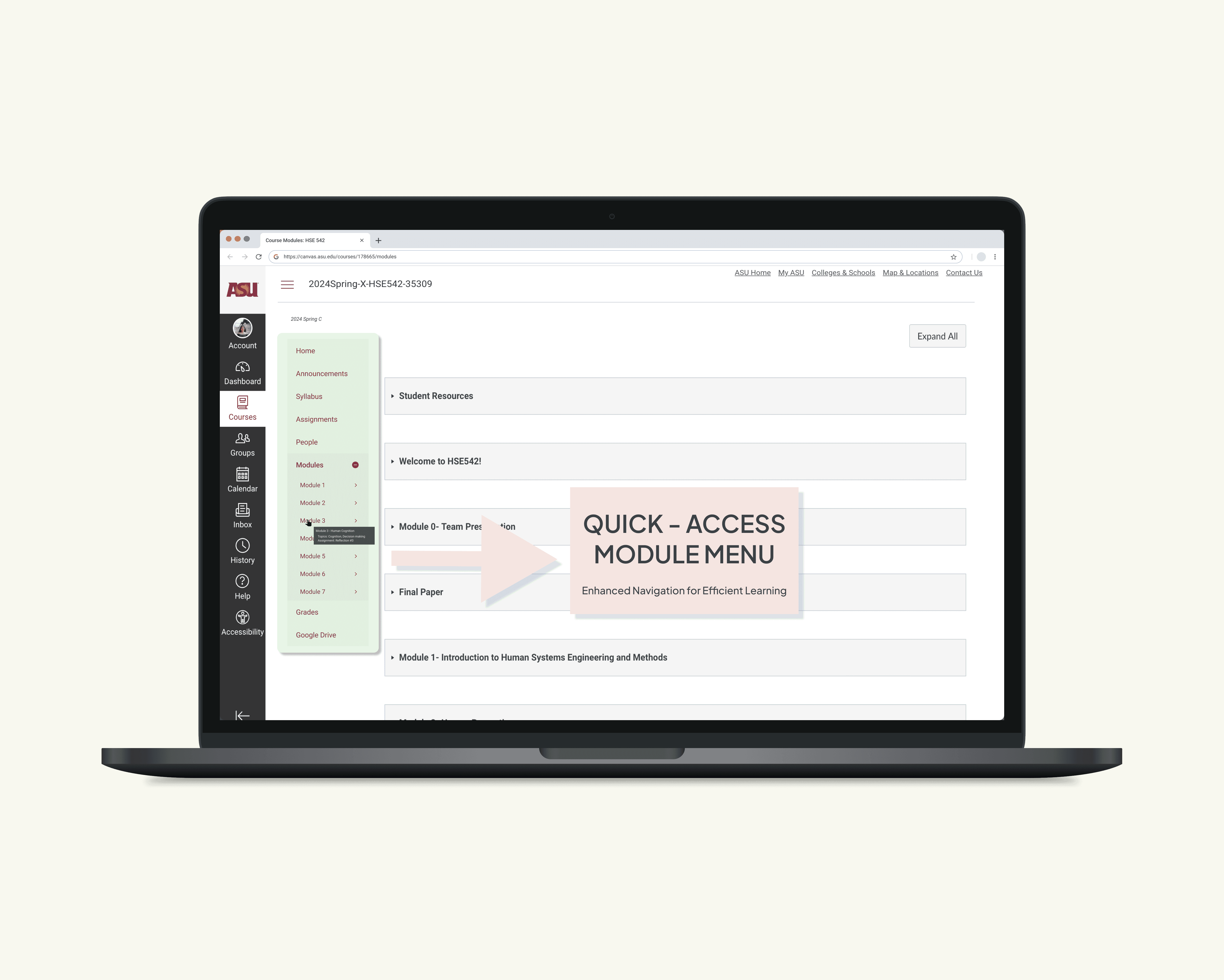
The Idea: Quick-Access Module Menu
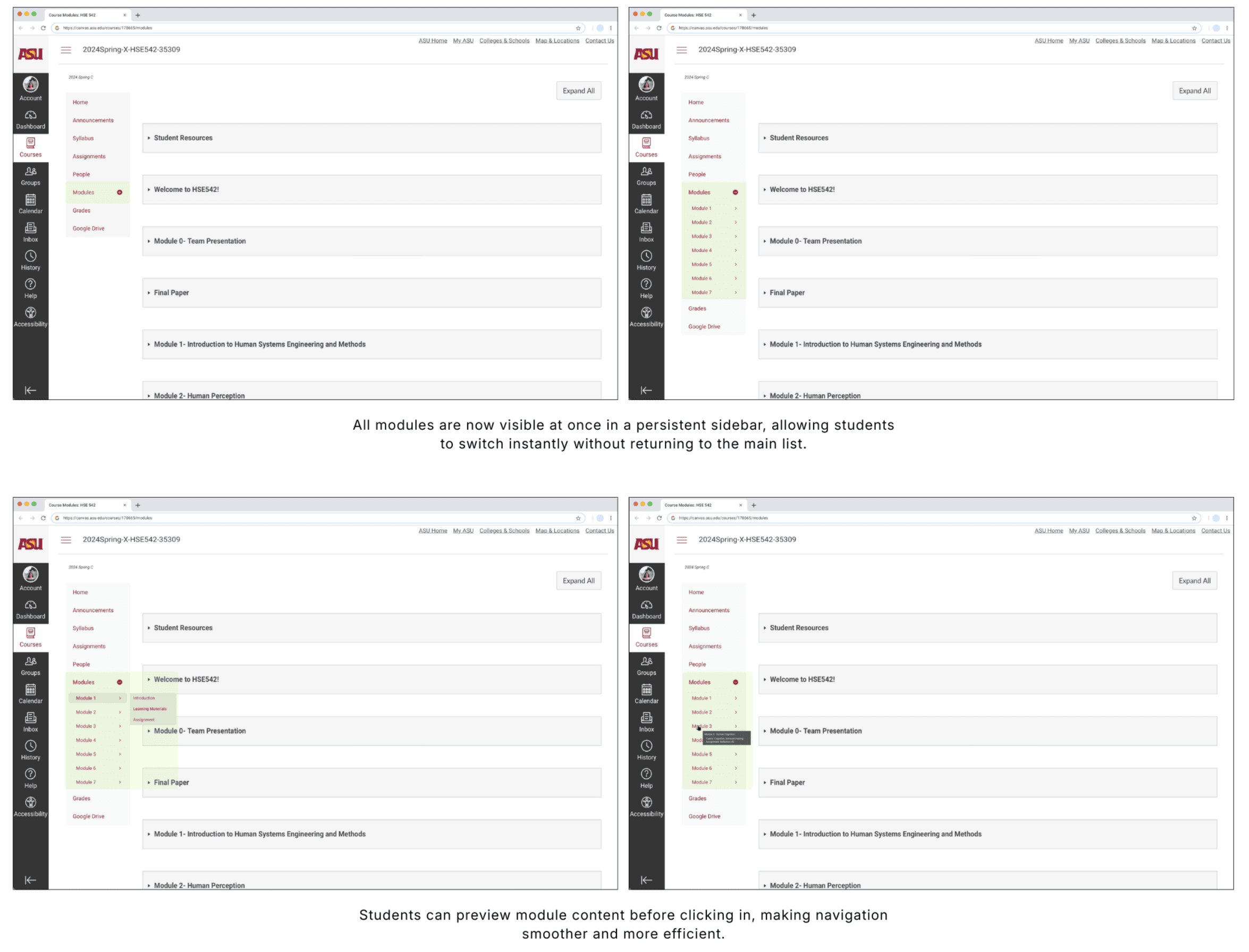
I designed a Quick-Access Module Menu that:
Stays visible in the left sidebar
Allows one-click switching between modules
Uses hover previews for faster scanning
This approach mirrors how students already think: like navigating folders or switching tabs.
The Solution
The Quick-Access Module Menu improved the experience in three key ways:
Reduced cognitive load
No more memorizing or excessive scrollingAligned with mental models
Familiar, folder-like navigationMaintained learning flow
Students could switch context without breaking focus
Testing The Solution
To validate the design, I conducted a within-subjects usability study with 8 students (mix of new and experienced users).
Each participant tested:
The current Canvas system
The Quick-Access Module Menu
SCENARIO
Participants were asked to:
Start in Module 3: Human Cognition
Pause mid-lecture
Switch to Module 2: Human Perception
Locate and open relevant content
This simulated a real study behavior: switching context quickly without losing momentum
METRICS COLLECTED
Task completion time (seconds)
Post-test satisfaction feedback
The Impact: 50% Faster Navigation
Current System: 20.39 seconds (avg)
Quick-Access Menu: 10.01 seconds (avg)
~50% faster navigation (10.38s improvement)
Participant | Current System | Quick-Access Module Menu |
|---|---|---|
1 | 17.13 | 8.02 |
2 | 22.48 | 11.21 |
3 | 14.76 | 6.89 |
4 | 28.32 | 14.57 |
5 | 19.87 | 9.24 |
6 | 12.91 | 5.98 |
7 | 31.45 | 16.78 |
8 | 16.24 | 7.39 |
What Users Said
Participants consistently described the new experience as:
“Faster”
“More organized”
“Less overwhelming”
Key Outcome:
By reducing cognitive load, the design didn’t just improve speed it made learning feel smoother and more focused.
Impact & Reflection
Reduced navigation time by ~50%
Lowered cognitive strain with persistent navigation
Improved satisfaction for both new and experienced users
What I Learned
Applying cognitive psychology can directly improve UX outcomes
Small interaction changes can have a measurable impact
Including diverse experience levels (new vs experienced) leads to stronger insights
Next Steps
If I were to take this project further, I would:
Scale testing with a larger, more diverse student population
Explore integrations with bookmarks and global search
Study long-term effects on learning flow and retention